Expiry & Batch Tracking
Never dispense an expired drug again.
Track every batch by expiry date, get predictive alerts before write-offs happen, and maintain batch-level traceability through to the point of sale.
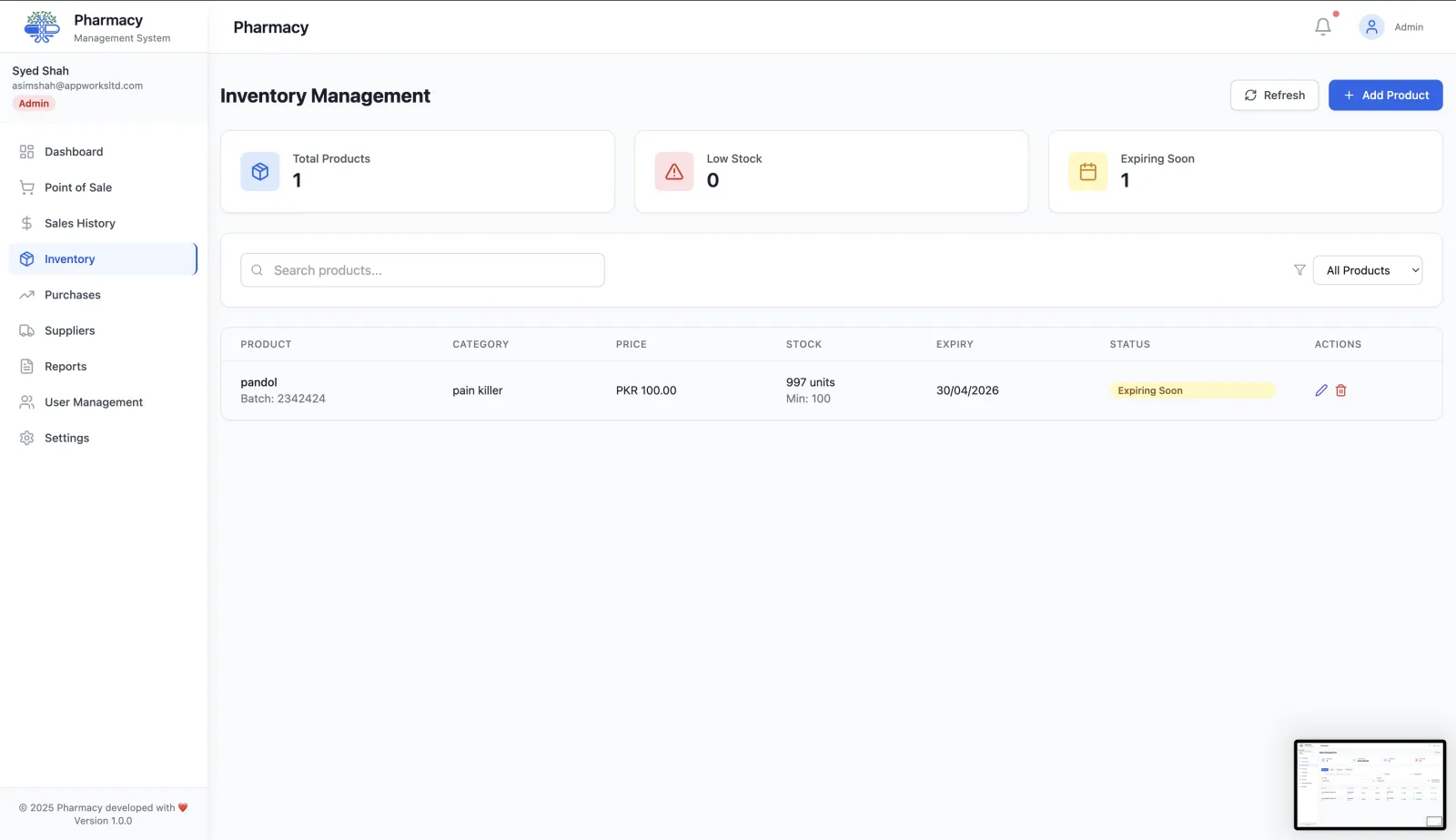
Complete expiry and batch control
Every batch is tracked from the moment it is added to stock to the moment it is sold or removed.
Expiry date tracking per batch
Every product batch has its own expiry date. RunMyPharmacy tracks them all so nothing slips through unnoticed.
Predictive expiry alerts
Get notified before products expire so you can mark them down, return them to suppliers, or pull them from shelves in time.
Batch number traceability
Stock is held by batch number, so if a recall is announced you can see straight away which batches you hold.
Automatic stock deduction by batch
Selling from the oldest batch first (FEFO) keeps your inventory accurate and reduces write-offs.
Expiry loss reporting
See how much stock was written off to expiry and use that data to optimize your reorder quantities.
Shelf integration
Shelf management alerts surface soon-to-expire products so staff can action them during daily shelf checks.
Part of a complete inventory system
Expiry tracking is built into pharmacy inventory management, not bolted on. Pair it with shelf management to surface expiring stock automatically during daily checks, and use analytics to quantify write-off losses.
How expiry and batch tracking works
Expiry is tracked per batch, not per product, because two deliveries of the same medicine rarely expire on the same day.
Record each batch
Every batch has its own batch number and expiry date, recorded in inventory.
Get tiered expiry alerts
Batches are flagged at 90 days (watch), 60 days (warning) and 30 days (critical) before expiry, and again once they have expired.
Sell oldest stock first
Sales deduct from the batch that expires first (FEFO). Shelf rotation tasks help staff move older stock to the front.
Review and act
The reports page lists products expiring within 30 days, so you can promote, return or remove them before they become a loss.
Why batch-level expiry tracking matters
Less waste
Early, tiered alerts give you time to act on short-dated stock instead of writing it off.
Patient safety
Expired batches are flagged clearly, which helps keep expired medicine off the shelf and out of patients’ hands.
Traceability
Because stock is held by batch number, you can see which batches you hold if a supplier issues a recall.
Inspection-ready
Shelf alerts and the shelf audit log show what was flagged and what action was taken.
Frequently asked questions
When does RunMyPharmacy warn me about expiring stock?
At 90, 60 and 30 days before a batch’s expiry date, with increasing priority, and again if a batch has already expired.
Does the POS sell the oldest batch first?
Yes. Stock is deducted using first-expiry-first-out (FEFO), so the batch that expires soonest is used first.
Can I see all stock expiring this month?
Yes. The reports page lists products expiring within the next 30 days.
Is expiry tracked for every product?
Expiry is tracked for every batch you record with an expiry date.
More questions? Read the full FAQ or contact our team.
Keep reading
Inventory Management
Manage medicine stock, boxes, strips, batch expiry and low-stock levels with RunMyPharmacy. Pharmacy inventory software for medical stores in Pakistan.
Shelf Management
Assign shelf locations to every product, manage FEFO stock rotation, get expiry alerts and run shelf audits to keep your pharmacy organised.
Reports & Analytics
Track pharmacy revenue, payment methods, top-selling drugs, expiry losses and sales trends. Export CSV reports for data-driven decisions.
Reducing Expired Stock
Why pharmacies lose money to expired stock and how to stop it: batch tracking, FEFO, tiered expiry alerts, smarter reordering and supplier returns.
Try RunMyPharmacy free
Full access to every feature during early access. No credit card required.