Pharmacy POS
Pharmacy POS software built for barcode-speed checkout.
Scan items straight into the cart, apply discounts, take cash, card, mobile or bank-transfer payments, and keep every sale logged—without slowing down your counter.
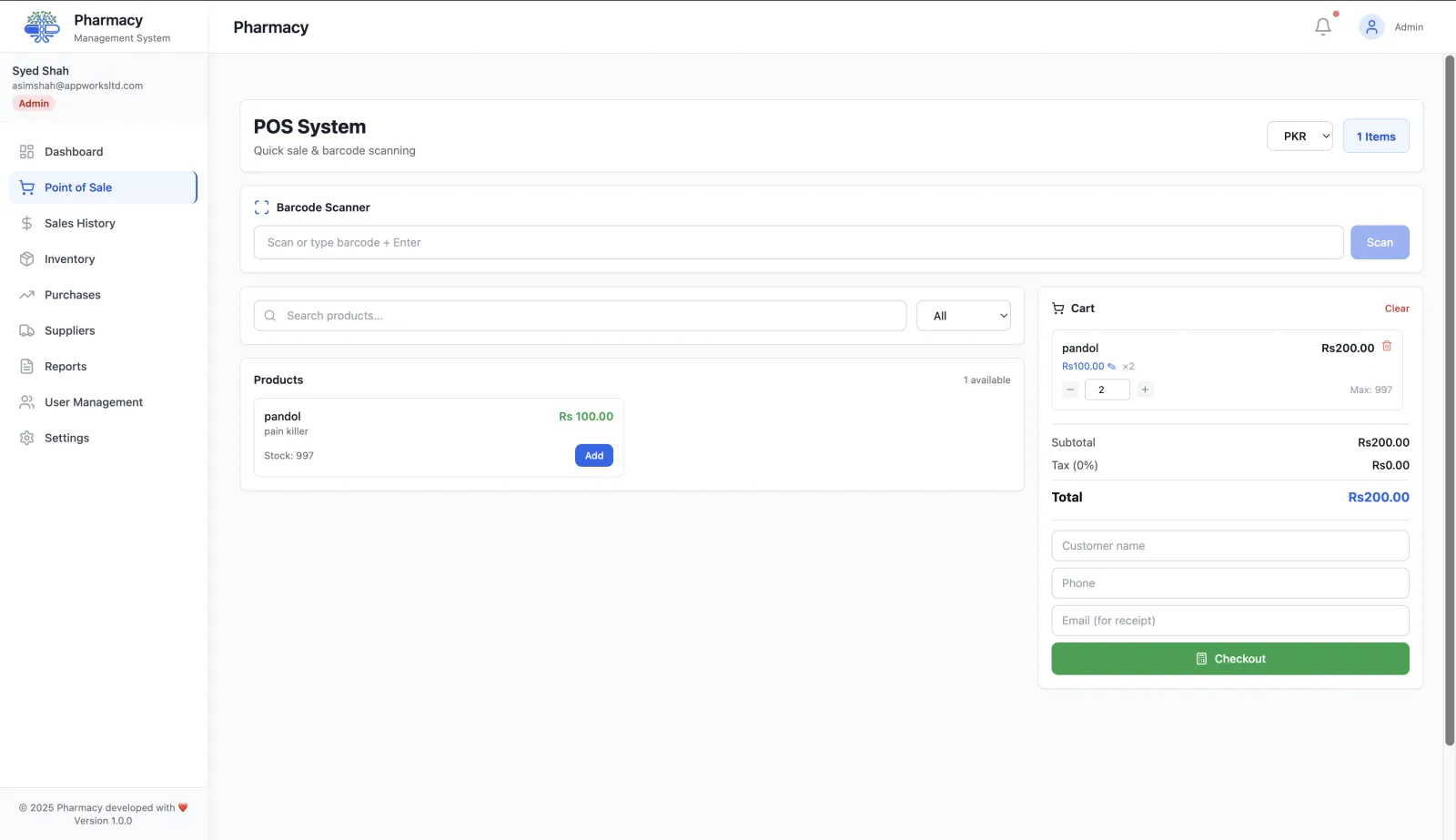
Barcode scanning that just works
Plug in a USB or Bluetooth scanner and scan directly into checkout with no extra configuration.
Every common payment method
Accept cash, card, mobile and bank-transfer payments. For cash sales the POS calculates change due automatically.
Refunds and sale history
Look up past receipts quickly, process returns, and keep your ledger accurate.
Fast product search
Search by product name to keep checkout moving even when barcodes are missing or damaged.
Inventory sync
Every completed sale updates stock in real time so inventory stays accurate across devices.
Role-based controls
Limit sensitive actions and keep operations consistent across staff roles.
Connect POS with the rest of your system
Pair your pharmacy POS software with inventory management and reporting & analytics to see performance trends and maintain accurate stock.
How a sale works in the RunMyPharmacy POS
The checkout screen is designed for a busy dispensary counter: one input for scanning and searching, keyboard shortcuts for the common actions, and stock that updates the moment a sale is completed.
Scan or search
Scan a barcode or type a product or generic name and press Enter. Press B or F2 at any time to jump back to the scan field, so the cashier never needs the mouse.
Load a prescription if there is one
Press F4 to open the prescription queue and pull a doctor’s prescription straight into the cart. Patients can be looked up by phone number.
Apply discounts and charges
Give a percentage or fixed discount on the sale. Your tax rate is applied automatically, and extra charges you set up in settings, such as a service fee, can be switched on for the sale.
Take payment and finish
Choose cash, card, mobile or bank transfer. For cash, enter the amount received and the POS shows the change due. Press F8 to complete the sale and print the receipt, or email it if the customer gave an address.
Why pharmacies switch to a dedicated pharmacy POS
Stock that is right after every sale
Each completed sale deducts stock from the batch that expires first (FEFO). Your inventory, expiry reports and reorder alerts reflect what is actually on the shelf.
Fewer mistakes at the counter
Scanning instead of typing prices removes keying errors, and the audible scan confirmation (which you can mute) tells staff each item was captured.
Refunds without losing the audit trail
Full and partial refunds are processed from sales history with a required reason, so every adjustment to revenue can be explained later.
Customer details when you need them
Optionally record a customer name, phone number and receipt email on a sale, which helps with returns and repeat customers.
Frequently asked questions
Which payment methods does the pharmacy POS accept?
Cash, card, mobile payments and bank transfer. Each sale records its payment method, so reports can break revenue down by method.
Do I need special hardware?
No. RunMyPharmacy runs in a web browser. Any USB or Bluetooth barcode scanner that works as a keyboard can scan into the POS, and receipts print through the browser’s print dialog.
Can I give discounts at checkout?
Yes. You can apply a percentage or a fixed-amount discount to any sale, and switch on extra charges you have set up, such as a service fee.
What happens to inventory when I make a sale?
Stock is deducted immediately when the sale completes, using first-expiry-first-out (FEFO) across the product’s batches.
Can a cashier issue refunds or see reports?
Access depends on the role. Cashiers get the POS and sales history; reports and settings are limited to roles such as Admin and Manager.
More questions? Read the full FAQ or contact our team.
Keep reading
Barcode Scanning
Use any USB or Bluetooth barcode scanner for sub-second pharmacy checkout. Supports CODE128, EAN-13, UPC-A, QR and other standard formats.
Inventory Management
Pharmacy inventory software with batch control, expiry tracking, low-stock alerts, shelf locations and supplier purchase orders, updated in real time.
Sales Tracking
Every pharmacy sale logged and searchable: receipt lookup, refunds, date-range filters and CSV export for accounting and audits.
Prescription Management
Issue, track and dispense prescriptions digitally, linked to patient profiles and a dispensing queue that deducts stock through the POS.
Try RunMyPharmacy free
Full access to every feature during early access. No credit card required.