Analytics
Pharmacy reports and analytics you can act on.
See revenue trends, payment breakdowns, and top products at a glance. Export CSVs when you need to share results with your team.
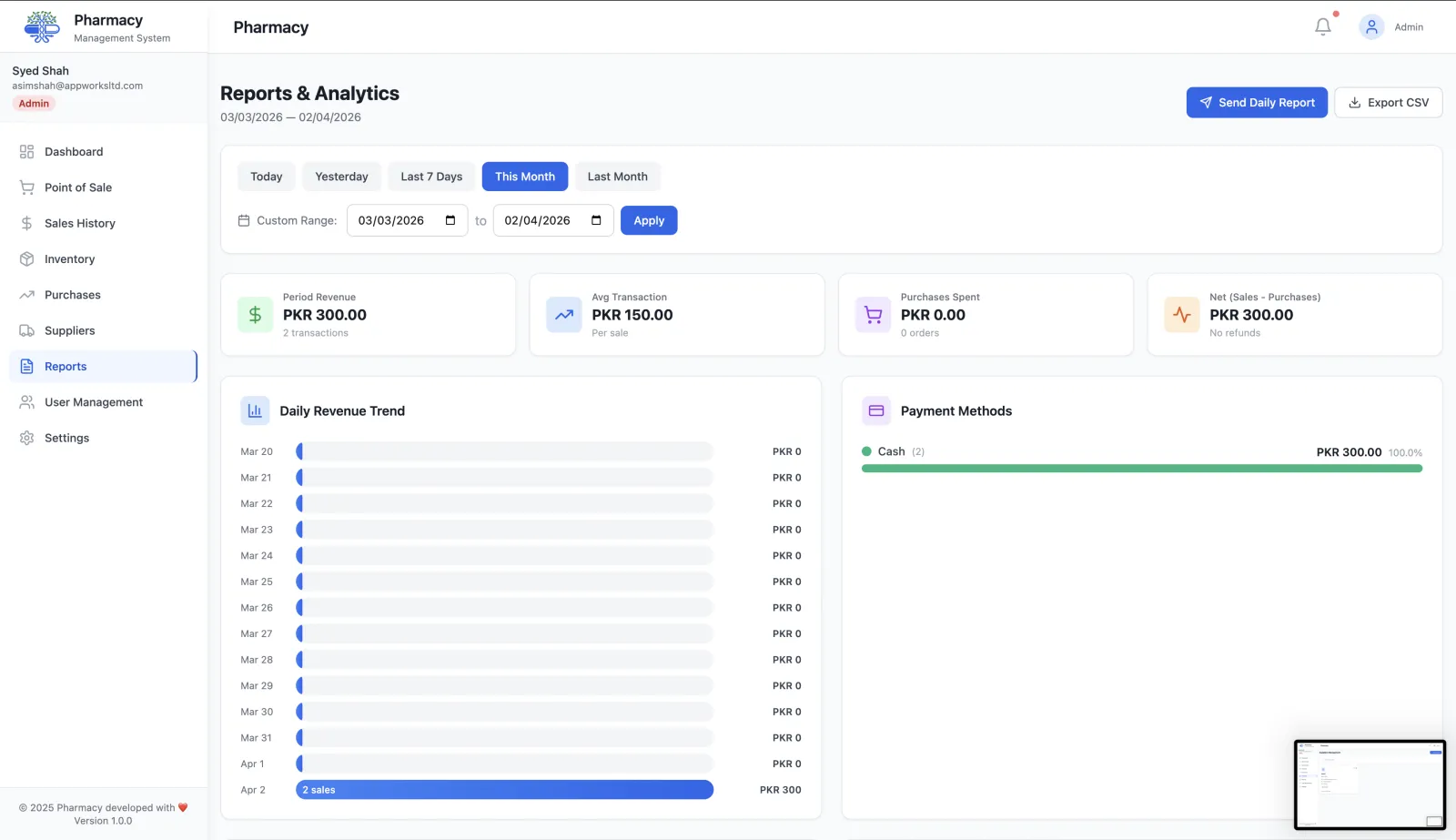
Daily revenue trends
Track performance by day and spot patterns that affect staffing and stock decisions.
Payment method breakdowns
Understand how customers pay and reconcile your totals with confidence.
Top products and categories
Identify best sellers and optimize ordering using clear, exportable data.
Fast exports
Download CSV exports for accounting, audits, and monthly review meetings.
Unified dashboard view
See sales, inventory, and purchasing metrics in one place for quick decisions.
Works with POS and inventory
Reports stay accurate because sales and stock updates are synced in real time.
Connect analytics with operations
Pair reporting with pharmacy POS software and inventory management to keep your data complete and consistent.
What the pharmacy reports dashboard shows
Reports are built from the same sales, purchase and inventory records your team creates every day, so there is nothing to import or reconcile.
Pick a date range
Choose the period you want to review. Every chart and table on the reports page updates to that range.
Review revenue and payments
See the daily revenue trend and how sales split across cash, card, mobile and bank transfer.
Find your best and worst performers
Top-selling products and sales by category show what drives revenue and what is taking up shelf space.
Act on stock risks and export
Low-stock alerts and products expiring within 30 days sit next to the sales figures. Export the data to CSV for your accountant or spreadsheet.
Decisions pharmacy reports help you make
What to reorder, and how much
Combine top sellers with low-stock alerts to order the medicines that actually move.
Where cash is tied up
The purchases summary shows what you are spending with suppliers over the same period as your sales.
What is about to expire
Stock expiring within 30 days is listed so you can promote it, return it to the supplier or move it to the front of the shelf.
How customers pay
Payment method breakdowns help you plan cash handling and card terminal costs.
Frequently asked questions
Can I export pharmacy reports?
Yes. Report data can be exported to CSV and opened in Excel, Google Sheets or your accounting software.
Which reports are included?
Daily revenue trend, payment methods, top-selling products, sales by category, purchases summary, low-stock alerts, products expiring within 30 days and an overall summary.
Who can see reports?
Reports are available to roles with reporting permission, such as Admin and Manager. Cashiers do not see reports.
Is the data real-time?
Yes. Reports read directly from your live sales, purchase and inventory records.
More questions? Read the full FAQ or contact our team.
Keep reading
Sales Tracking
Every pharmacy sale logged and searchable: receipt lookup, refunds, date-range filters and CSV export for accounting and audits.
Inventory Management
Pharmacy inventory software with batch control, expiry tracking, low-stock alerts, shelf locations and supplier purchase orders, updated in real time.
Expiry & Batch Tracking
Track every medicine batch by expiry date, get alerts before stock is written off, and trace batches from purchase order to point of sale.
Pharmacy POS
Fast pharmacy POS software with barcode scanning, discounts, cash, card and mobile payments, refunds and receipts. Stock is deducted at every sale.
Try RunMyPharmacy free
Full access to every feature during early access. No credit card required.