Inventory
Pharmacy inventory management that stays accurate.
Track stock with batch and expiry control, low-stock alerts, and supplier purchasing—so you always know what’s on the shelf and what needs reordering.
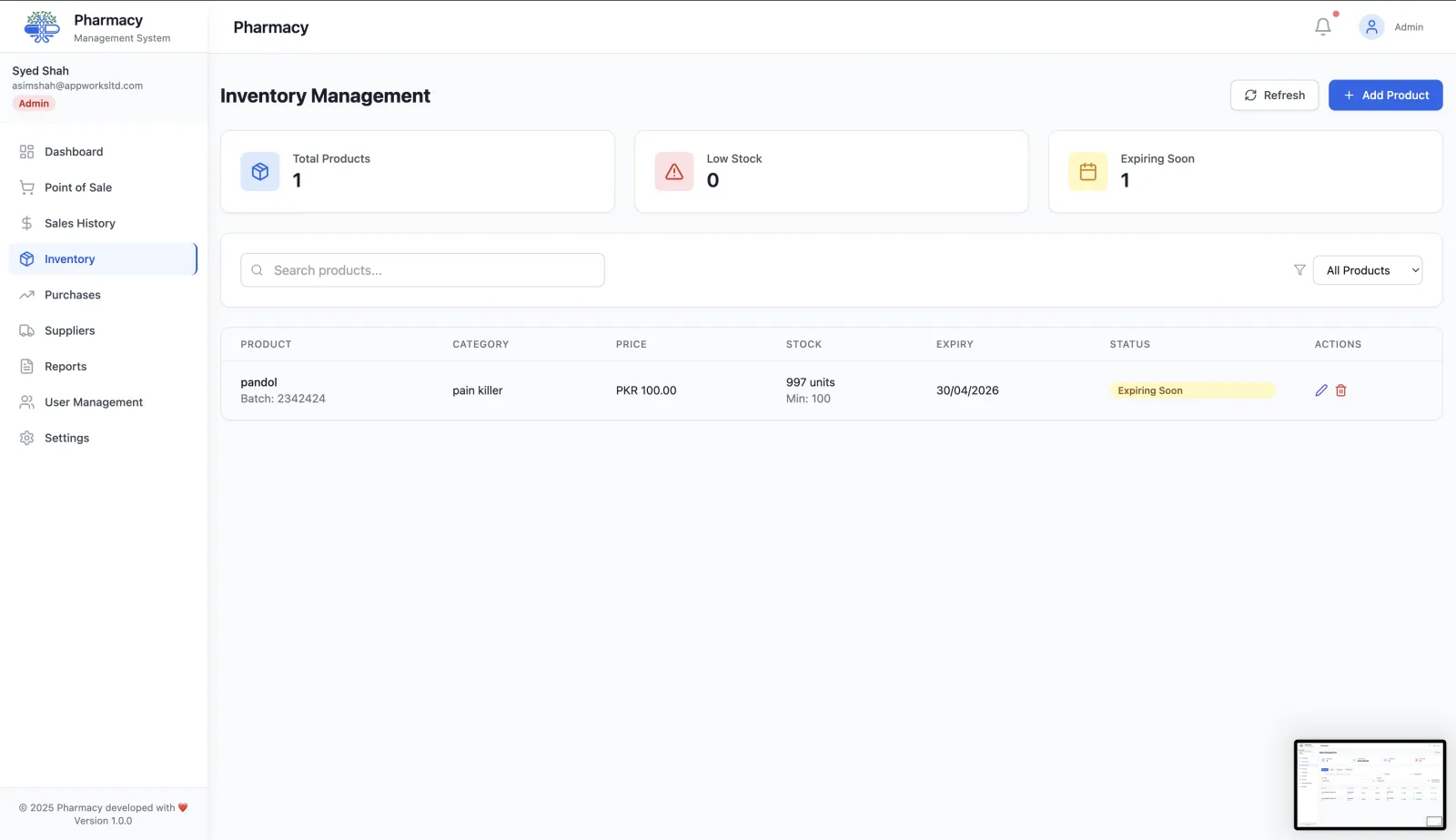
Batch and expiry tracking
Maintain traceability and reduce write-offs with clear batch records and expiry visibility.
Low-stock alerts
Set thresholds and spot fast movers early so you restock before the shelf goes empty.
Categories and catalog control
Keep products organized with categories and consistent product records across the system.
Supplier purchasing workflow
Create purchase orders, receive stock, and keep counts synced as deliveries arrive.
Online store sync
If enabled, online orders automatically deduct from inventory to avoid overselling.
Fast search and filters
Find items quickly for both the counter and back-office workflows.
Turn inventory into insights
Use pharmacy reports & analytics to track revenue trends, payment breakdowns, and top products.
How pharmacy inventory stays accurate
Inventory in RunMyPharmacy is not a separate spreadsheet. Purchases add stock, sales remove it, and every movement is tied to a batch with its own expiry date.
Add products with full drug details
Record the brand name, generic name, strength, dosage form, manufacturer, category, barcode, cost price and selling price for each product.
Receive stock by batch
Each batch carries its own batch number and expiry date, so two deliveries of the same medicine are tracked separately.
Sell first-expiring stock first
When a sale completes, stock is deducted from the batch that expires soonest (FEFO), which reduces write-offs from expired medicine.
Reorder before you run out
Set a minimum stock level per product. Products at or below it appear in low-stock alerts and reports, ready for a purchase order.
What accurate drug inventory gives your pharmacy
Less money lost to expiry
Batch-level expiry tracking and FEFO deduction mean older stock leaves the shelf first, and near-expiry stock is flagged early.
Fewer stock-outs
Low-stock alerts based on your own minimum levels show what to reorder before a patient is turned away.
Faster lookups
Search products by brand or generic name, filter by category, and see current stock and batches in one place.
One source of truth
The POS, purchasing, shelf management, reports and online store all read the same inventory, so numbers never disagree between screens.
Frequently asked questions
Does RunMyPharmacy track batch numbers and expiry dates?
Yes. Every batch has a batch number and expiry date, and sales deduct stock from the earliest-expiring batch first.
How do low-stock alerts work?
You set a minimum stock level for each product. When stock falls to or below that level, the product appears in low-stock alerts and in the reports dashboard.
How does stock get added?
Stock is added when a purchase order is marked as delivered. If a delivered order is later changed to another status, the stock update is reversed.
Can I organise products into categories?
Yes. Create your own categories and assign products to them. Reports also break sales down by category.
More questions? Read the full FAQ or contact our team.
Keep reading
Expiry & Batch Tracking
Track every medicine batch by expiry date, get alerts before stock is written off, and trace batches from purchase order to point of sale.
Purchase Orders
Create pharmacy purchase orders from low-stock alerts, track them to delivery, and receive stock with automatic inventory updates.
Shelf Management
Assign shelf locations to every product, manage FEFO stock rotation, get expiry alerts and run shelf audits to keep your pharmacy organised.
Reports & Analytics
Track pharmacy revenue, payment methods, top-selling drugs, expiry losses and sales trends. Export CSV reports for data-driven decisions.
Try RunMyPharmacy free
Full access to every feature during early access. No credit card required.